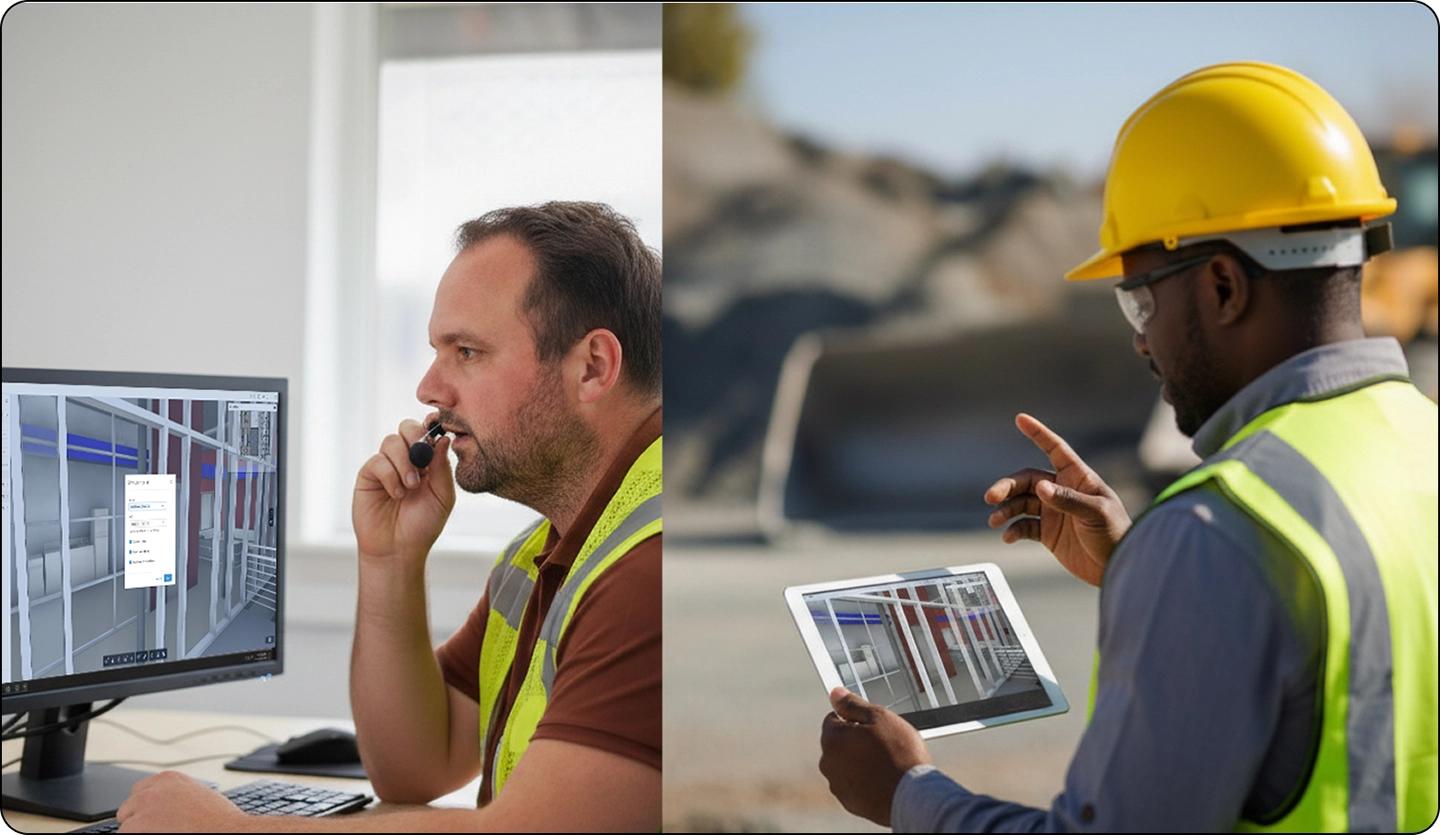
Viewpoints act as live bookmarks within a 3D construction model, serving as waypoints and navigation aids to specific locations or filtered views. They help users share curated model data for faster review and issue resolution, and they function as an essential communication tool between office teams and field users.
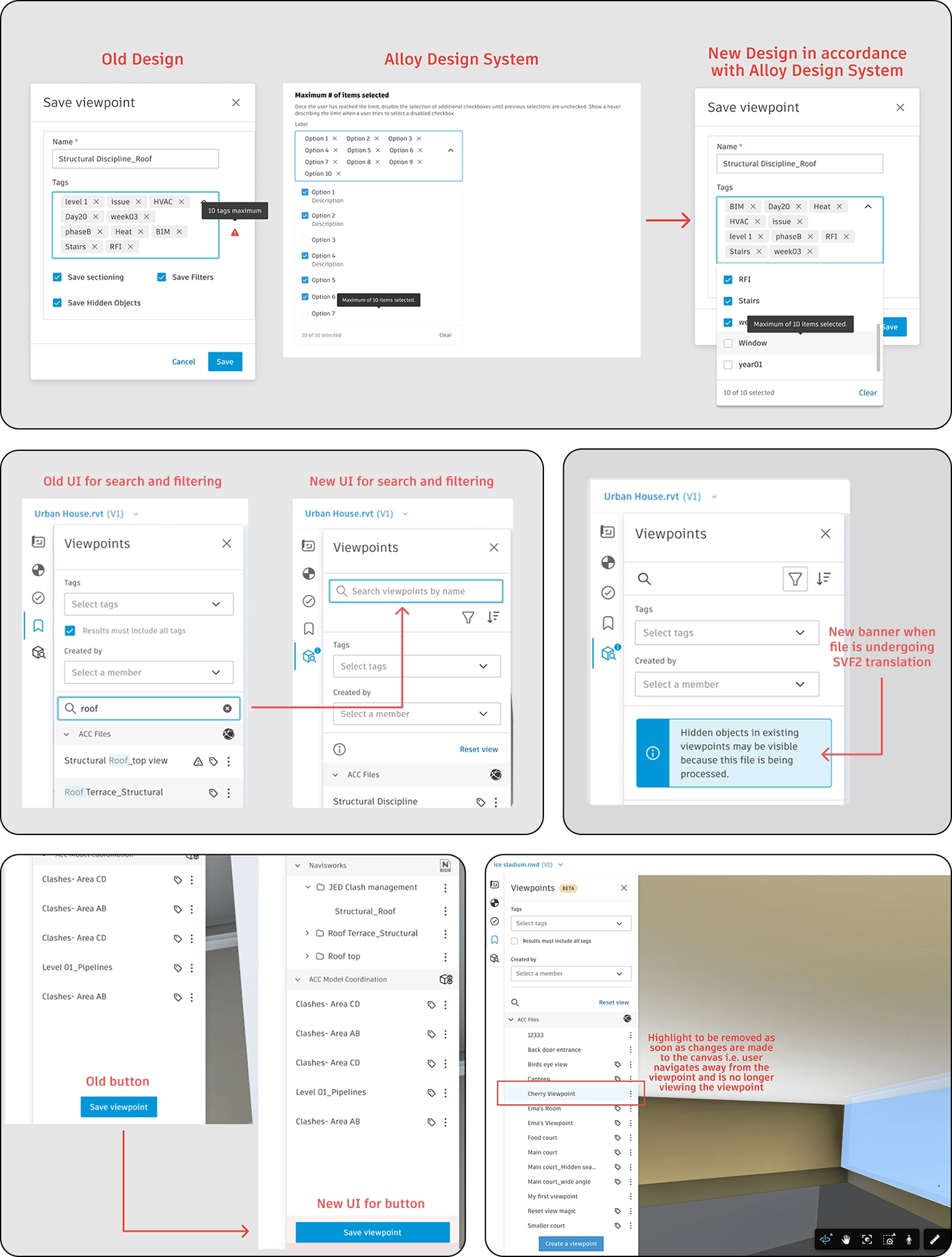
Autodesk desktop applications like Navisworks have offered viewpoints for many years, and customers rely on them heavily, often saving thousands within a single model. Because of this familiarity, customers had long requested comparable functionality in the web-based Autodesk Construction Cloud. As the lead designer, I redesigned the existing viewpoint experience to align with the latest design system guidelines and created new workflows to address user needs and support the transition from desktop to web.
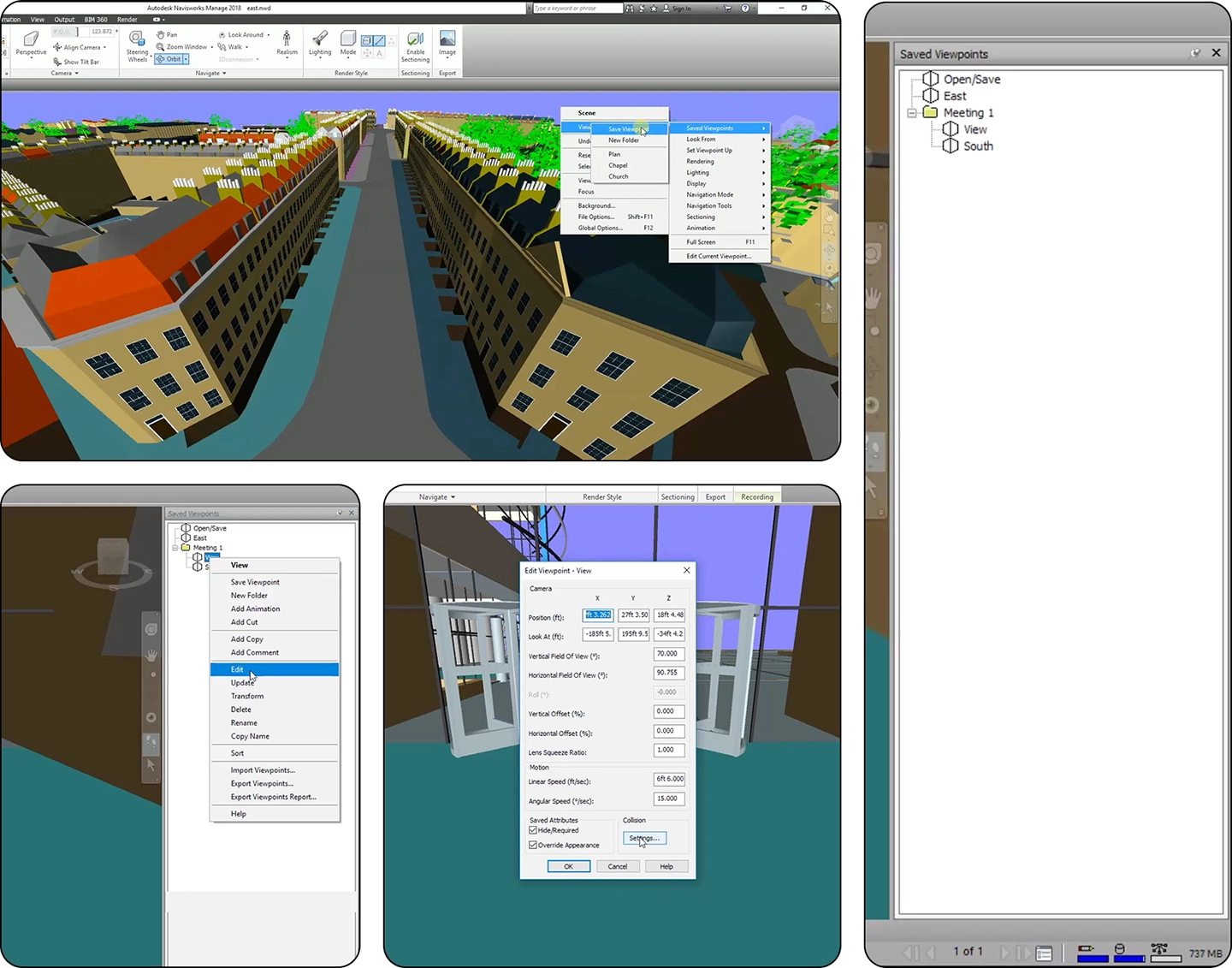
Navisworks and other Autodesk desktop tools have long offered robust viewpoint features that users rely on. To bring that familiar experience to the web, I analyzed key desktop workflows, such as "editing of viewpoints", and translated them into the ACC web app to maintain consistency and ensure the design accurately supports user needs.
I collaborated with design researchers to uncover what new features and workflows could be designed for viewpoints beyond the ability to save viewpoints. New workflows such as ability to order viewpoints based on their name and creation date, edit viewpoints and create new tag/s were designed. High fidelity designs of the old as well new worklfows were designed with detailed interactions.
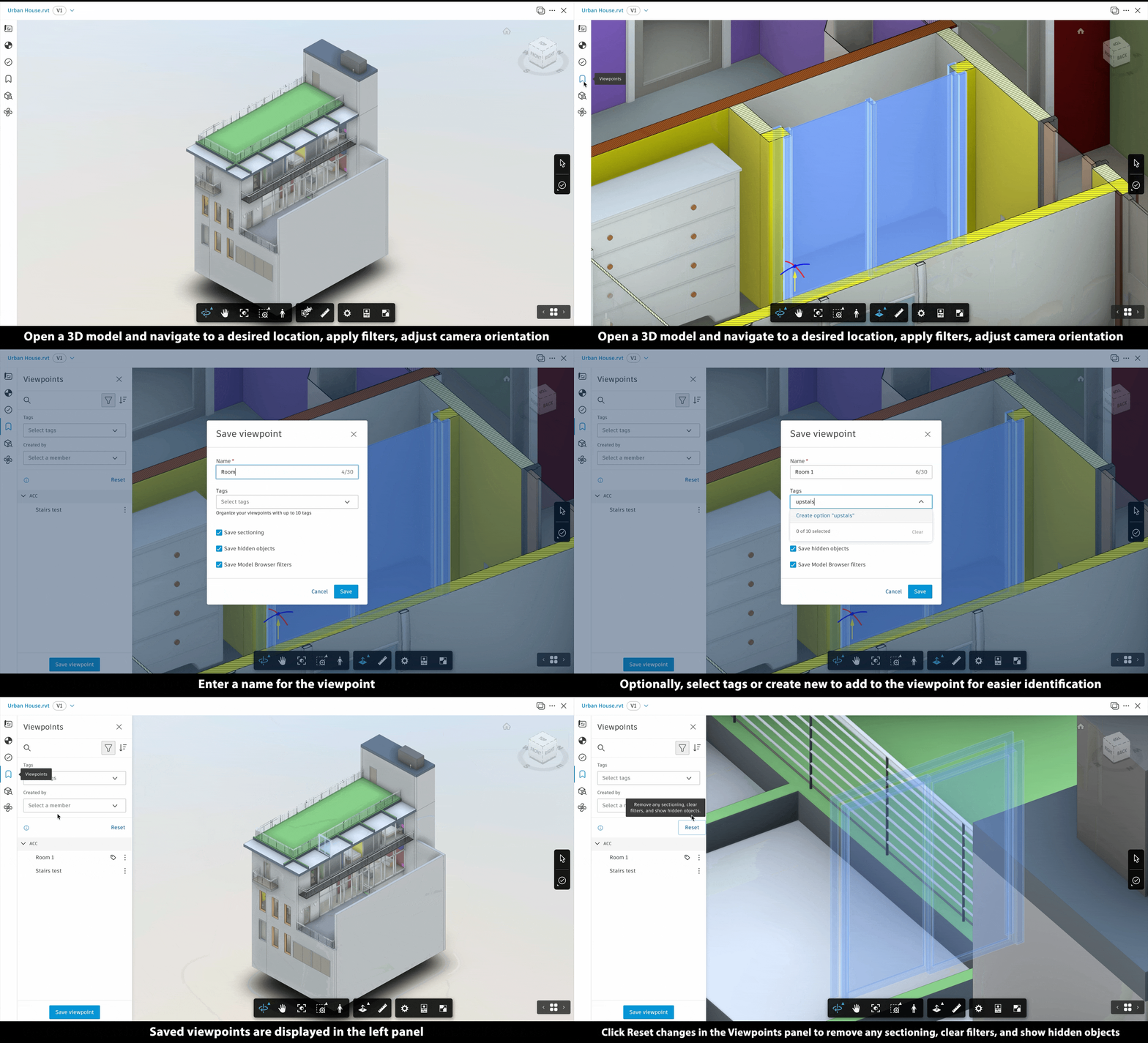
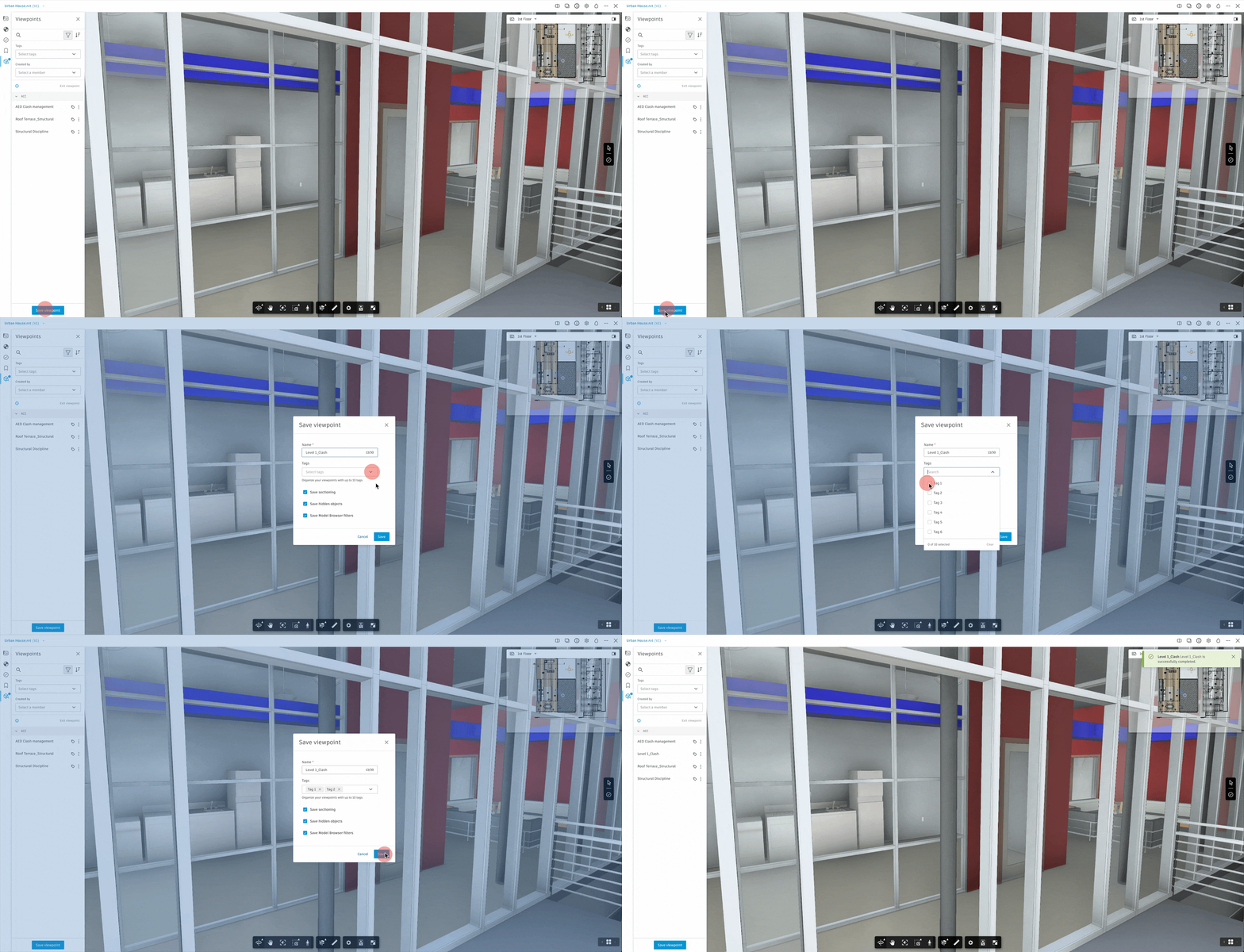
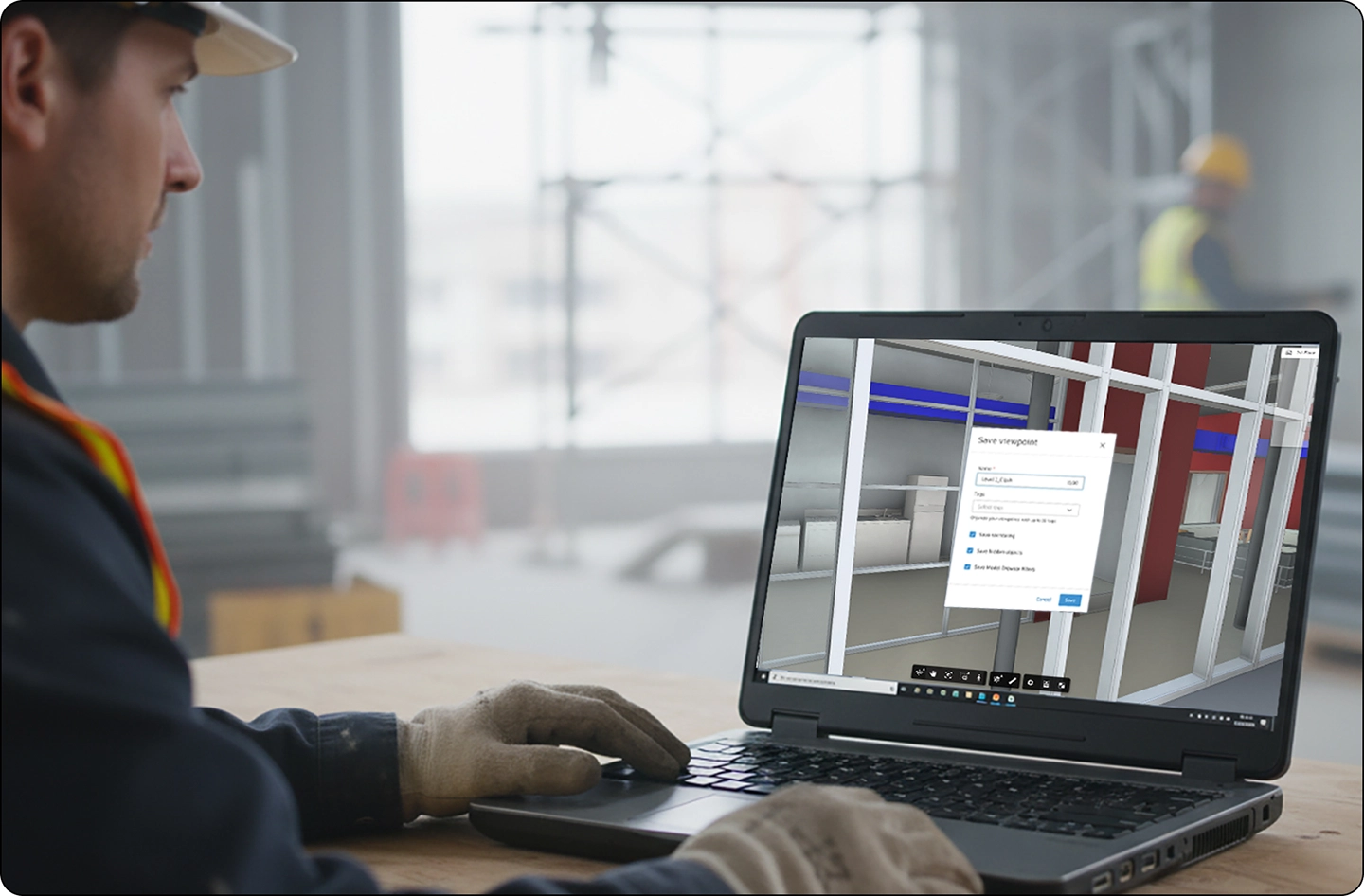
Save viewpoints allows user to save a particular view of the model with filters. Users can also add existing tags or create new tags, which allows for easier identification and filtering of viewpoints.
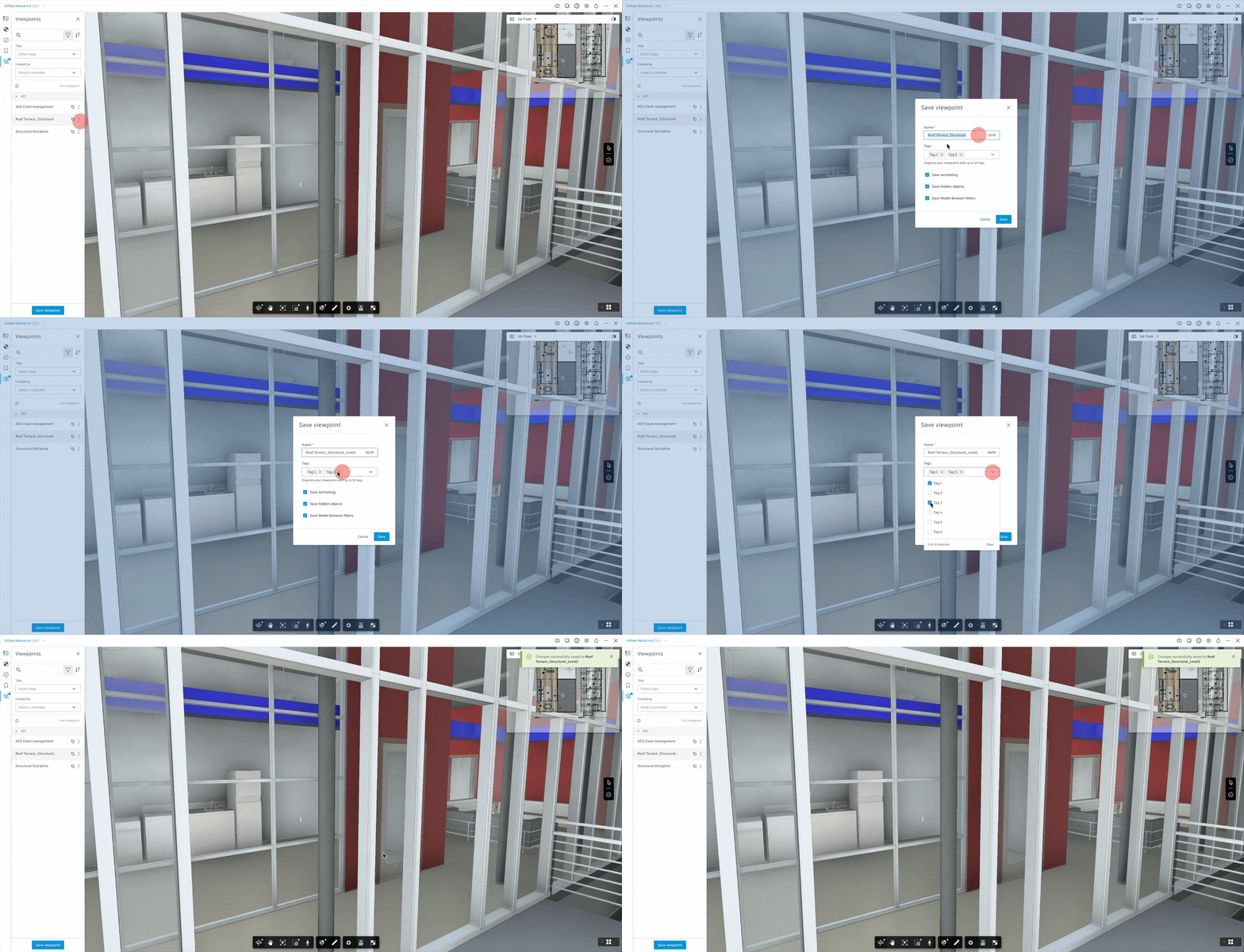
Edit Viewpoints enables users to rename a viewpoint and add or remove its tags.
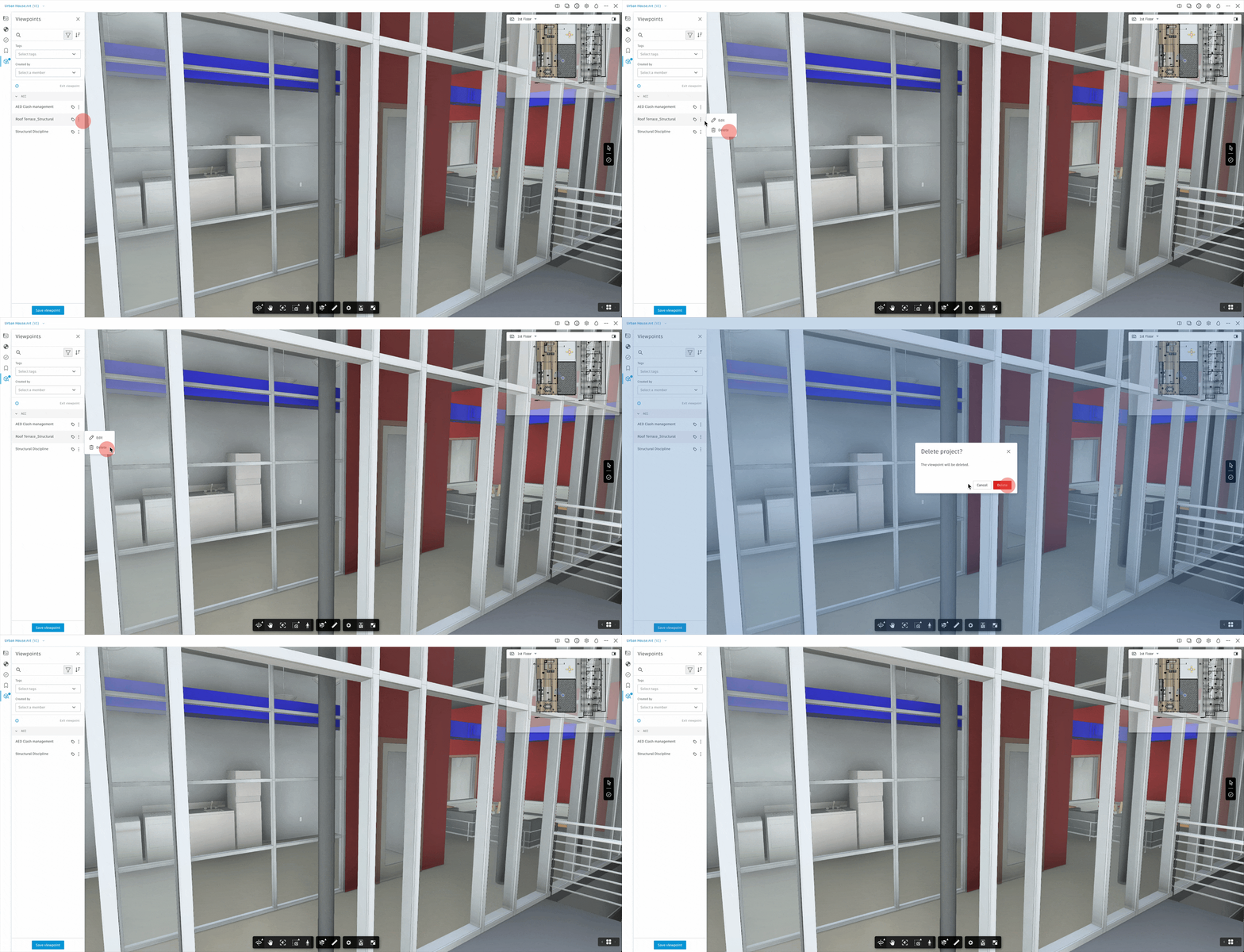
Delete Viewpoints enables users to remove redundant Viewpoints from the contextual menu.
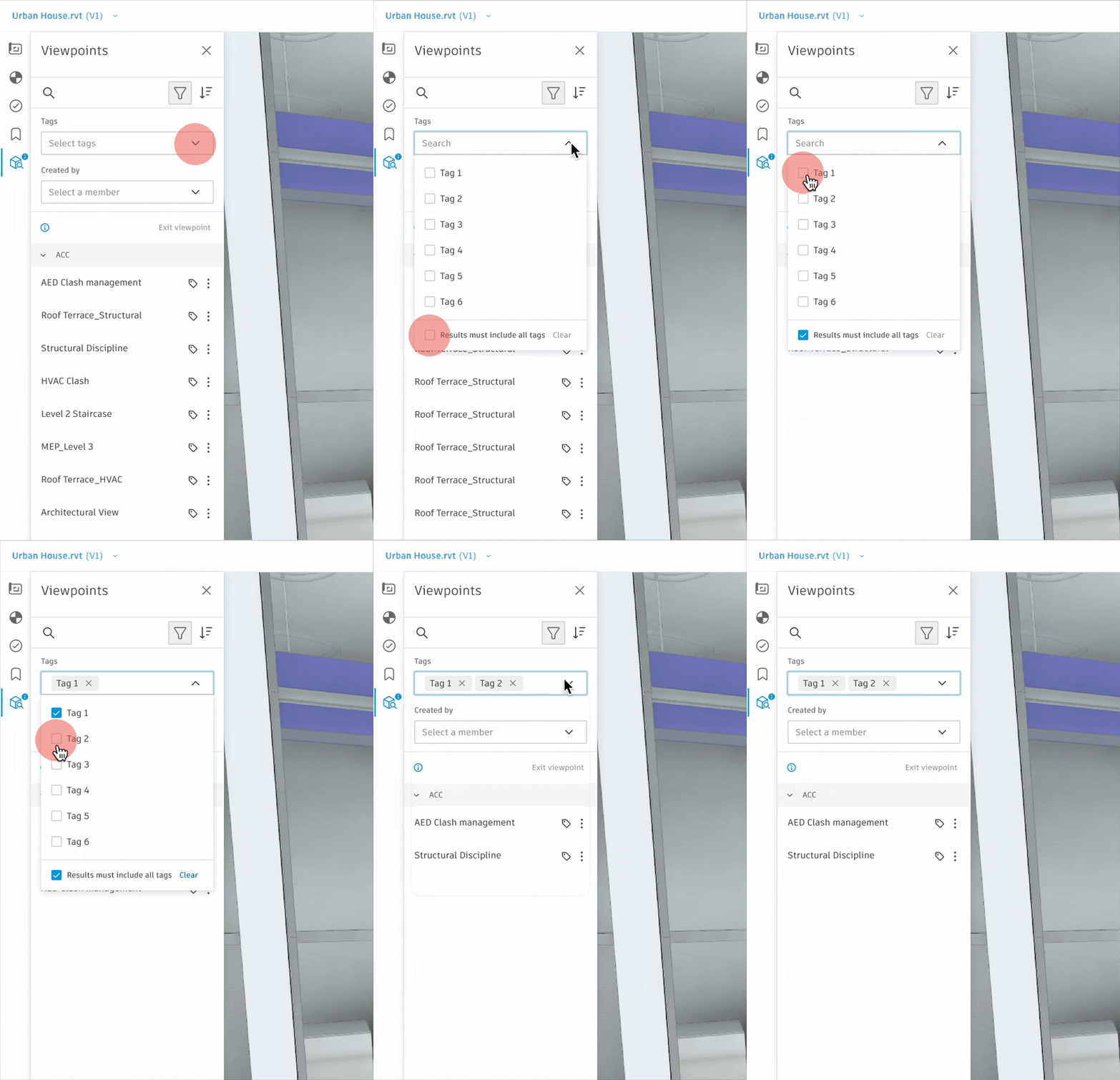
Search by Tag enables users to find Viewpoints by entering a tag name.
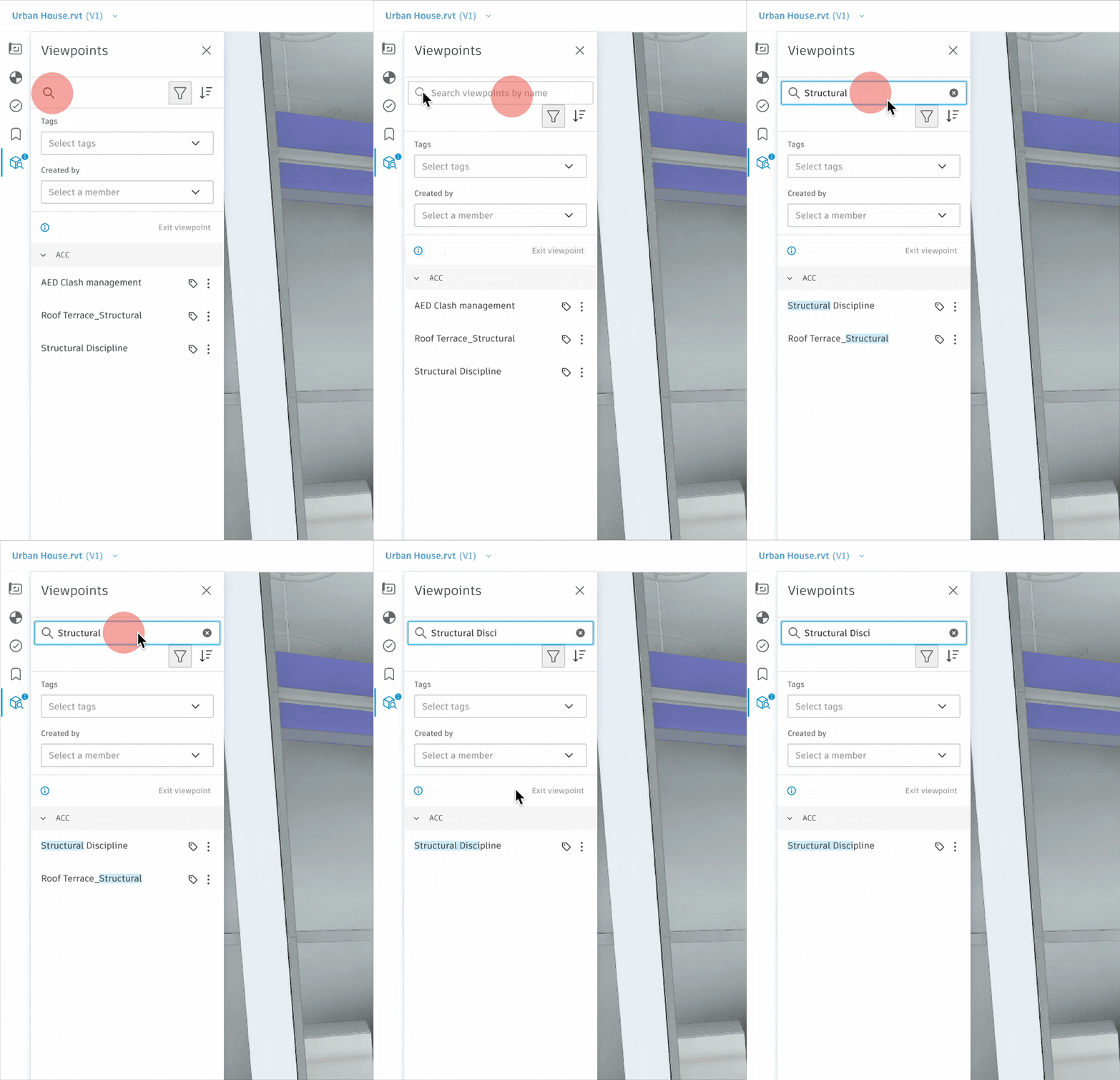
Search by Name enables users to locate Viewpoints by typing the Viewpoint name.
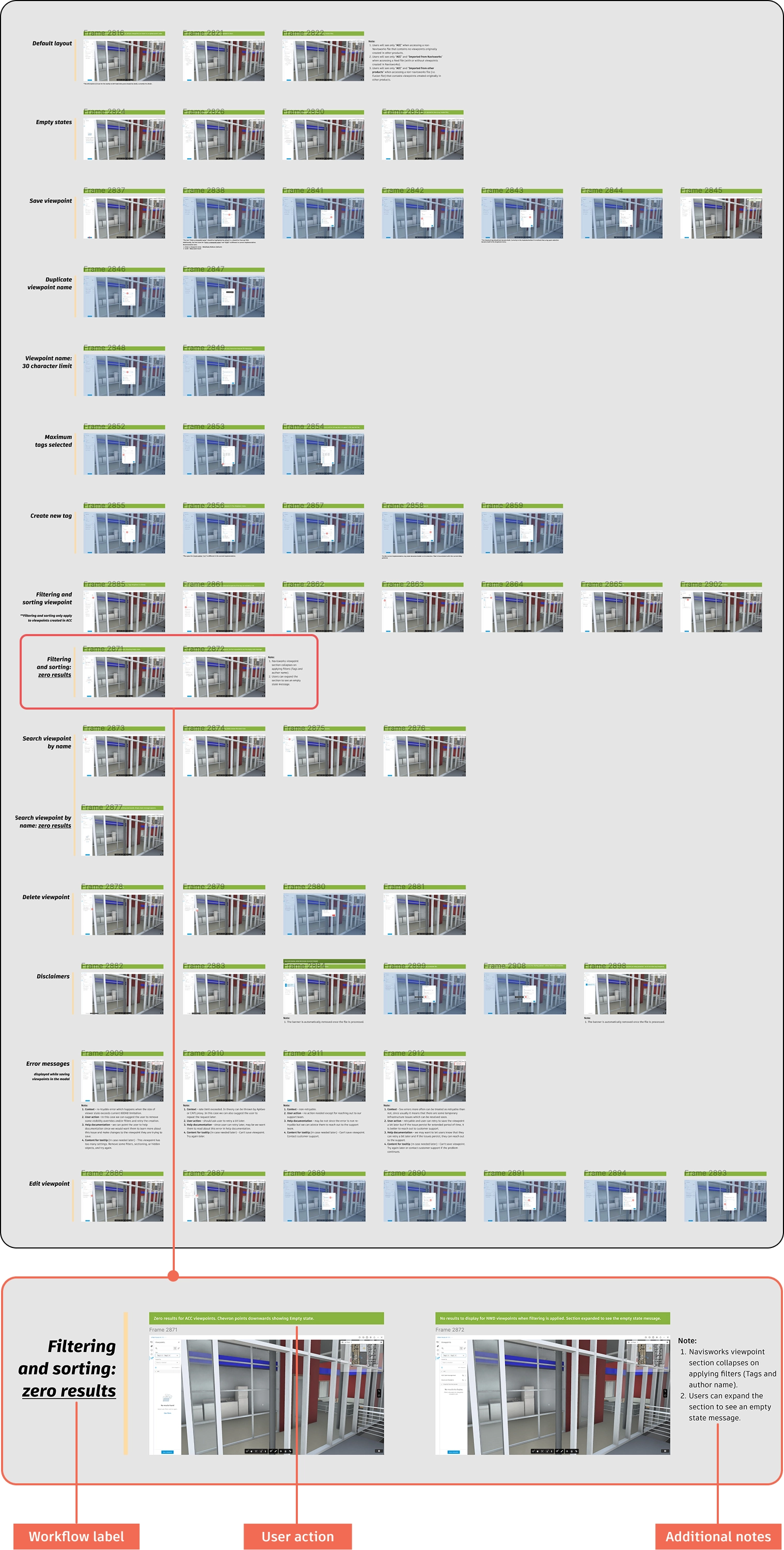
I documented both legacy and new wireframes and workflows with user actions, key annotations, and links to design system components to support a smooth engineering handoff.
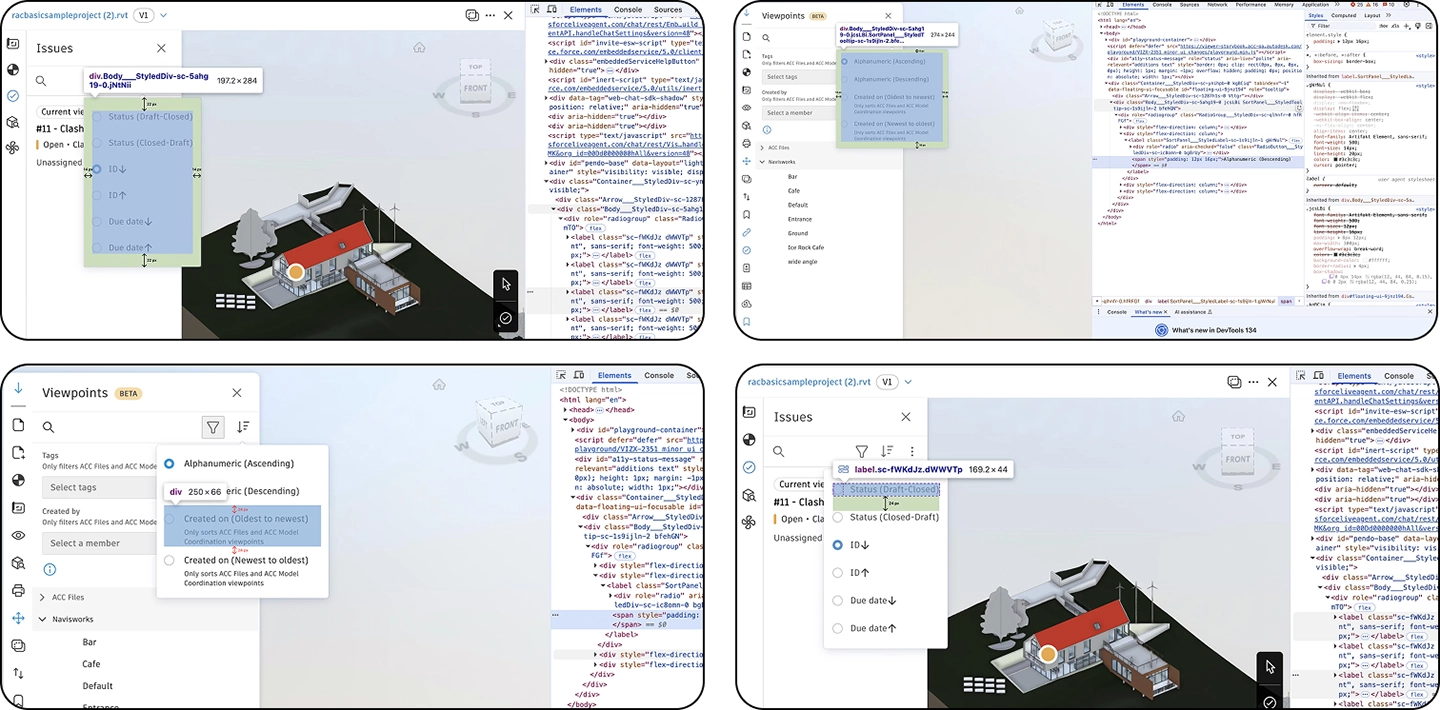
I collaborated with QA to test both legacy designs and new workflows, logging detailed JIRA tickets, validating UI and UX consistency, documenting edge cases, and ensuring the feature met design standards across products.