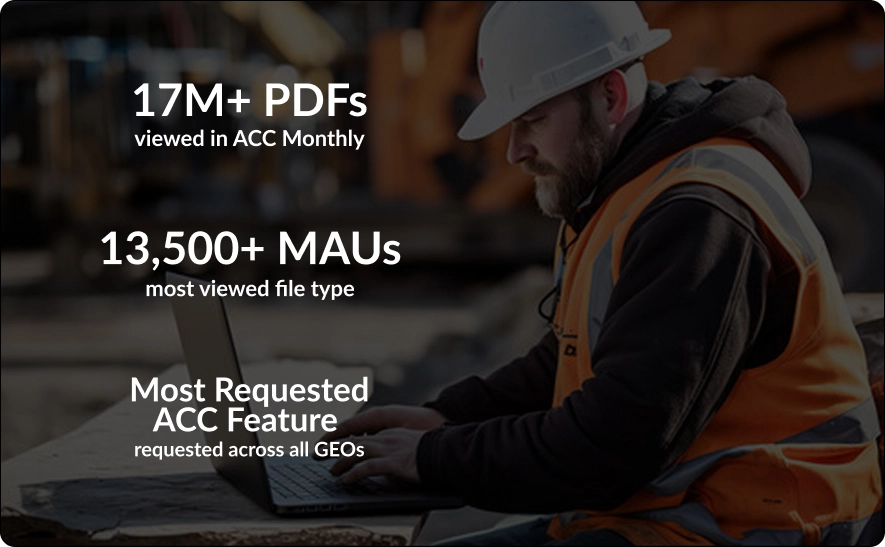
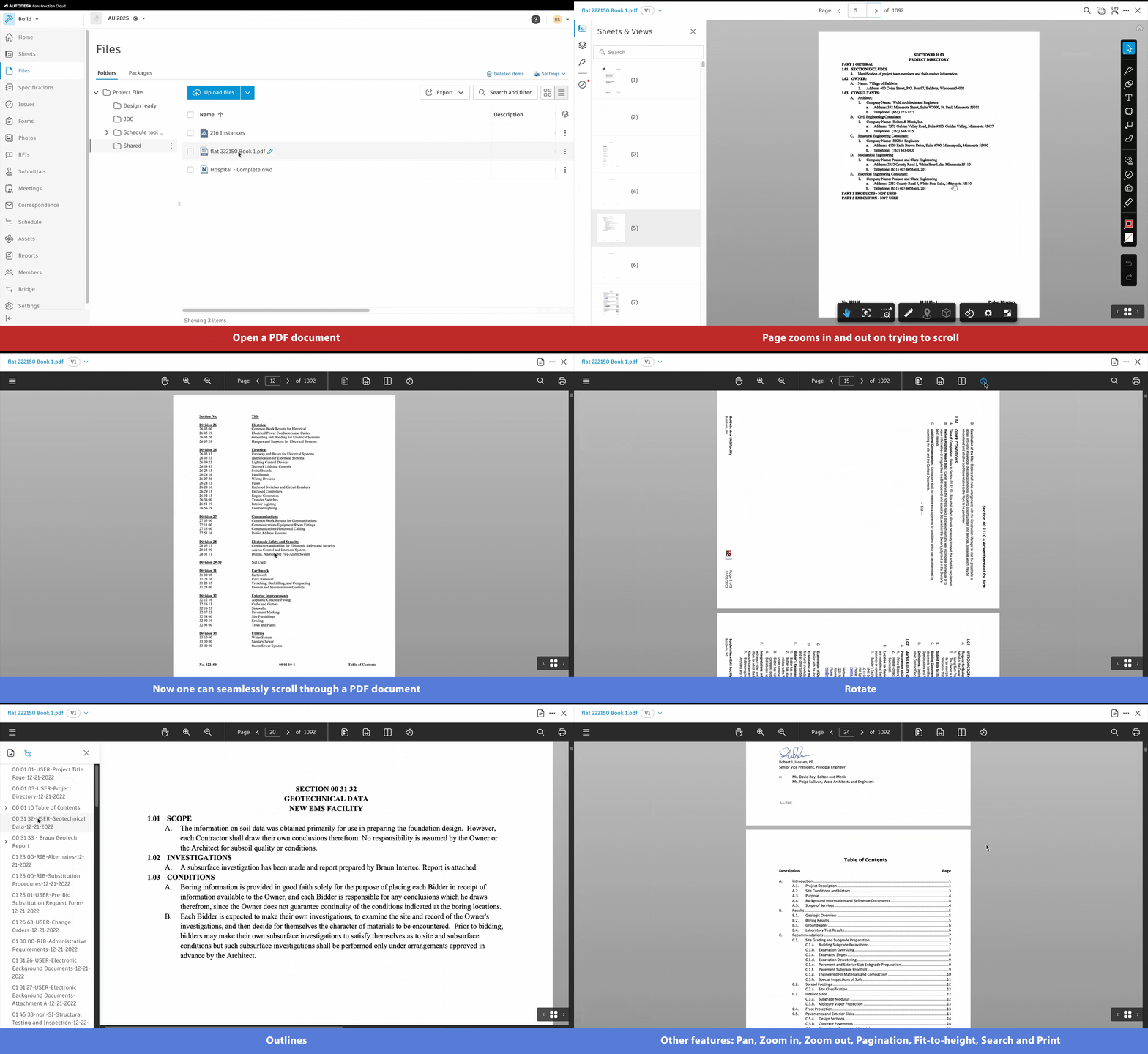
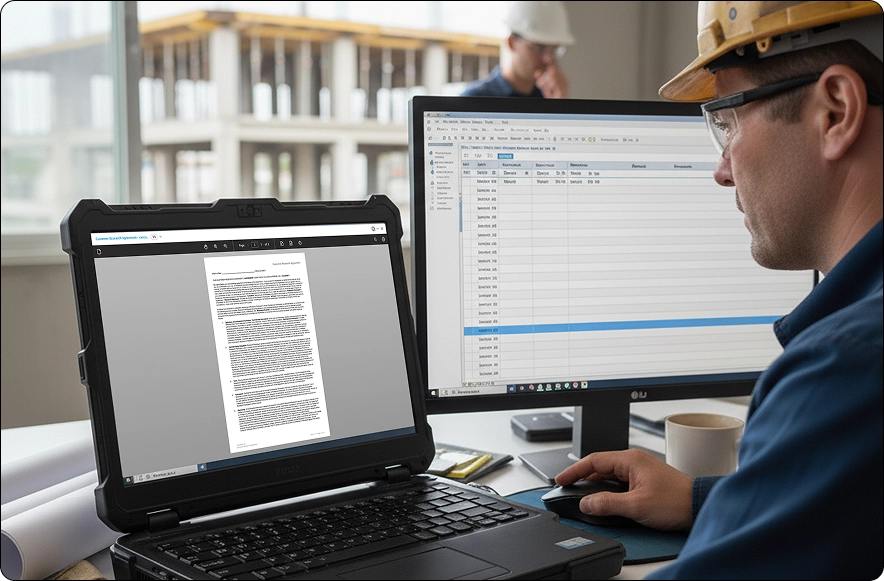
PDFs are the most commonly viewed file type in Autodesk Construction Cloud (ACC), yet the existing ACC Viewer was not optimized for long, text-heavy documents such as contracts, spec books, and RFIs. Instead of smoothly scrolling, users had to click through each page, creating a slow and cumbersome experience.
To address this, a new PDF Viewer, one of the most requested features across all GEOs, was integrated into ACC. It replaces the slow, limited legacy experience with smooth scrolling, improved pagination, search, and full-document navigation, delivering a fast, familiar, and fully featured reading experience directly within ACC.
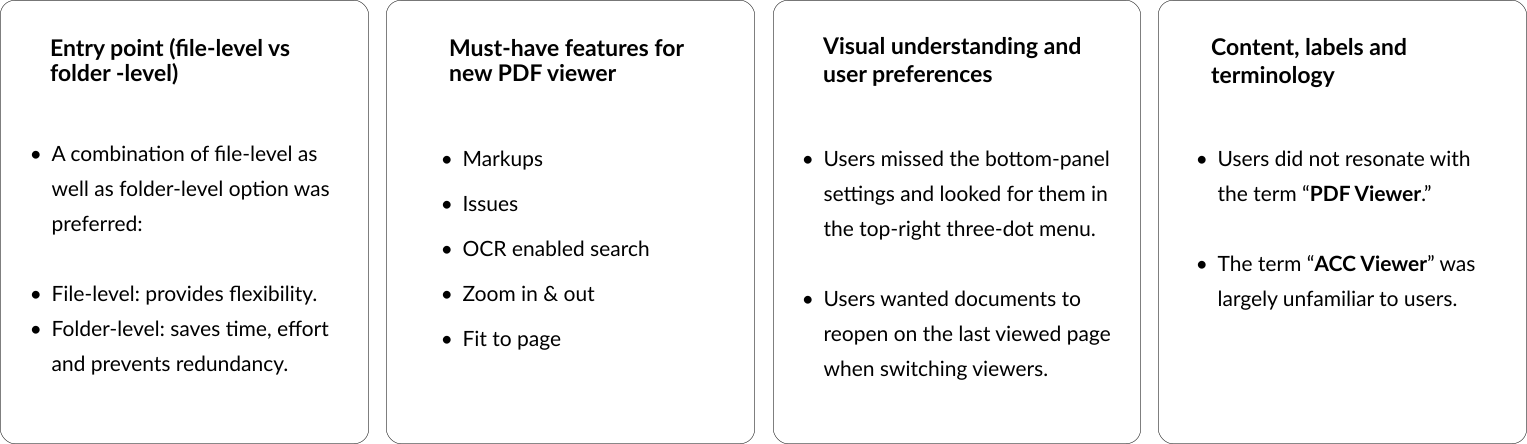
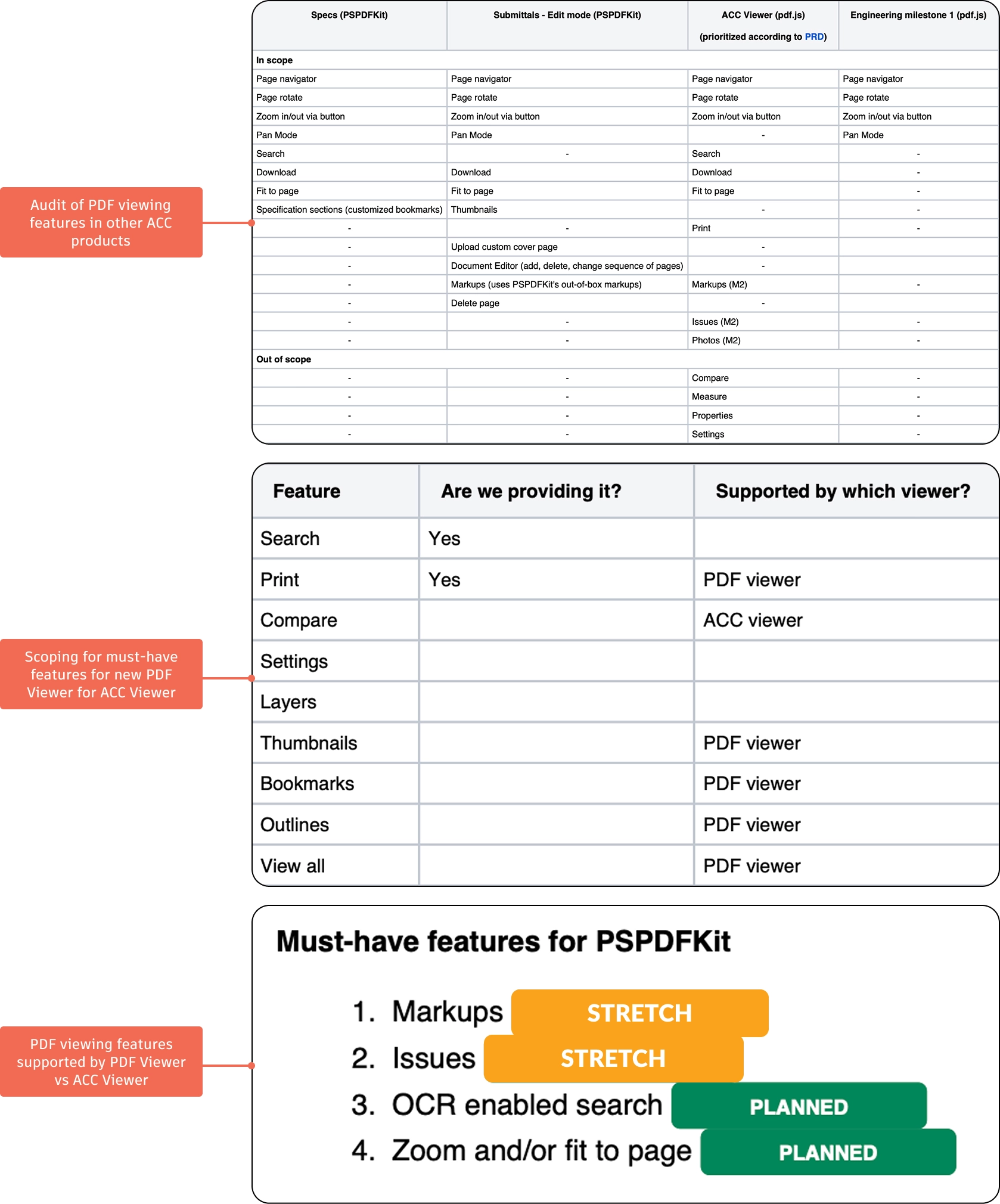
I led a design-led research workshop with stakeholders from product, research, and design to explore multiple approaches for accessing the PDF Viewer within the ACC Viewer. The ideas generated in the workshop were distilled into three distinct concepts, which were prototyped and used in user research sessions to guide discussion with customers. The goal was to clarify expected entry points for opening the viewer and distinguish must-have capabilities from nice-to-have enhancements.
I collaborated with designers across other ACC products that also require PDF-viewing capabilities, auditing their needs to ensure the new PDF Viewer could be integrated without reinventing the wheel. This platform-based approach was developed in close partnership with product and engineering teams to balance business requirements with technical feasibility.
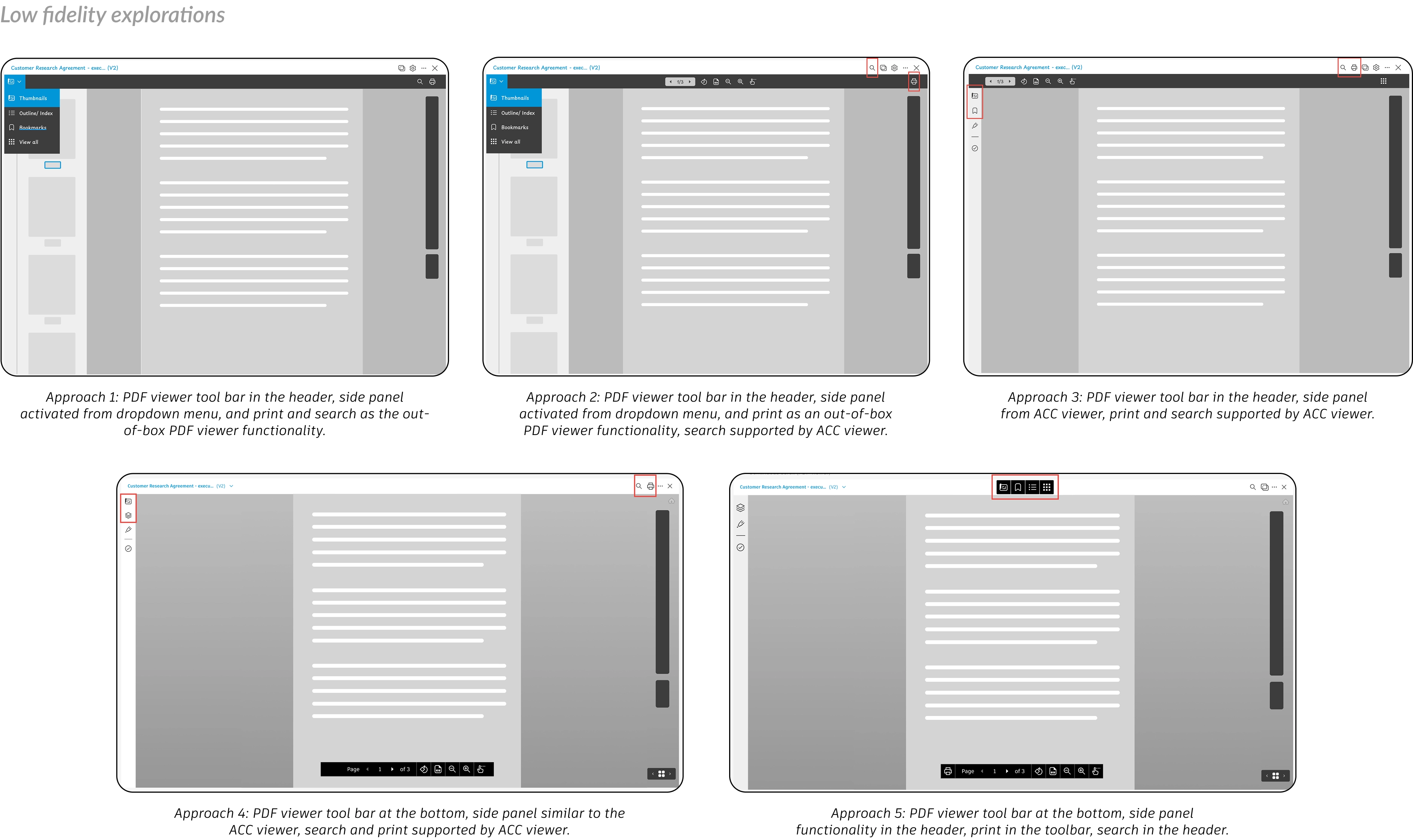
As part of conceptualization, I created several low-fidelity prototypes and evaluated the pros and cons of each. I then collaborated with product and engineering to select the best direction for moving into high-fidelity prototyping.
To address key user needs, I partnered with engineering during a hackathon to implement top customer-requested PDF Viewer features such as bookmarks, outlines, double-page viewing, and shortcuts. The project earned the Customer Impact Award and secured stakeholder approval to include the functionality in the product’s first release.
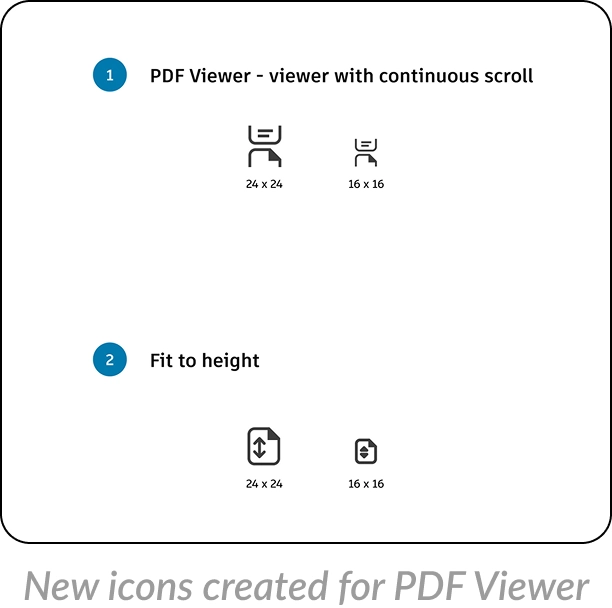
Aligned with the design system, I created high-fidelity prototypes for each workflow, incorporating detailed interaction design and developing new icons for the new PDF viewing experience.
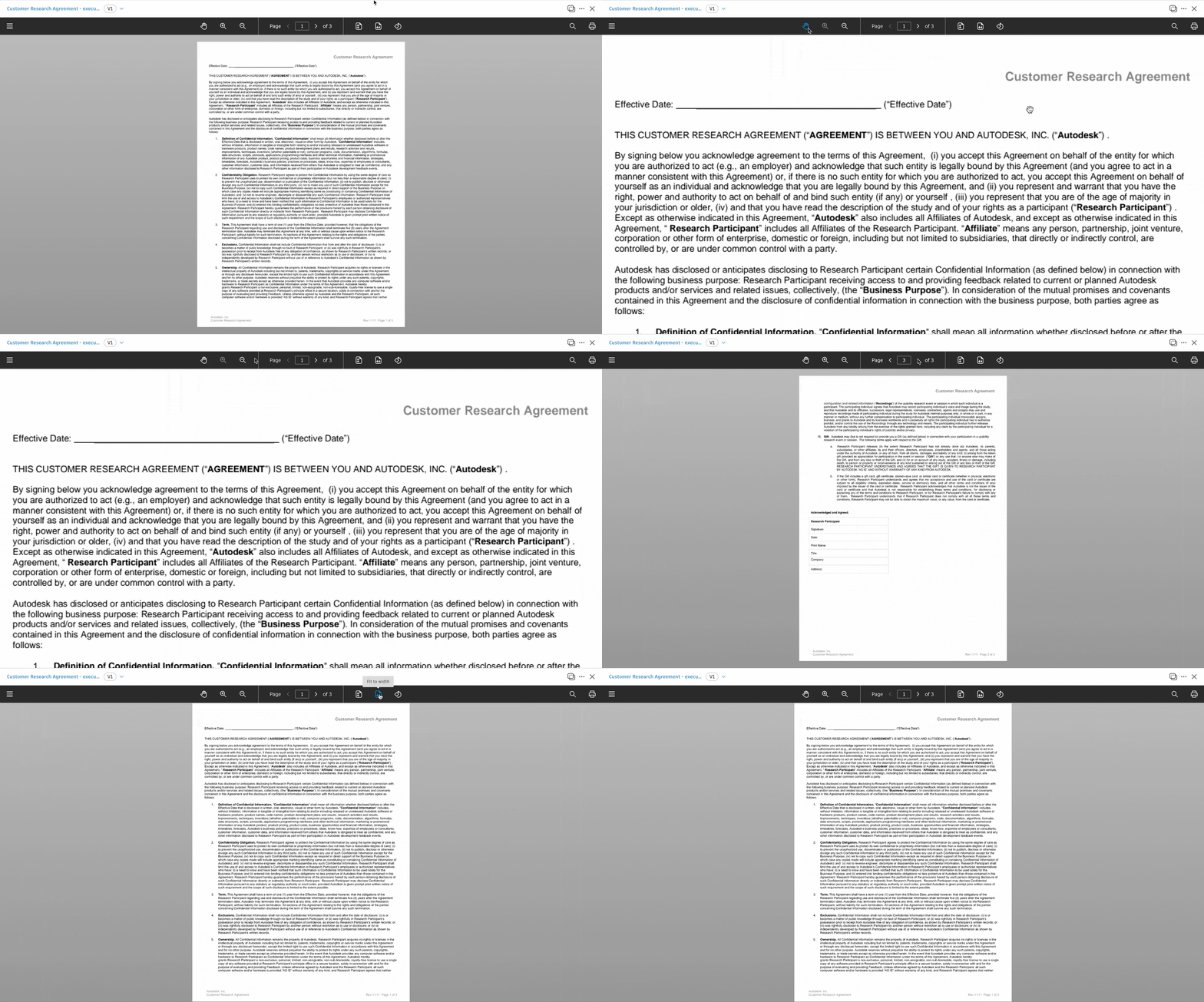
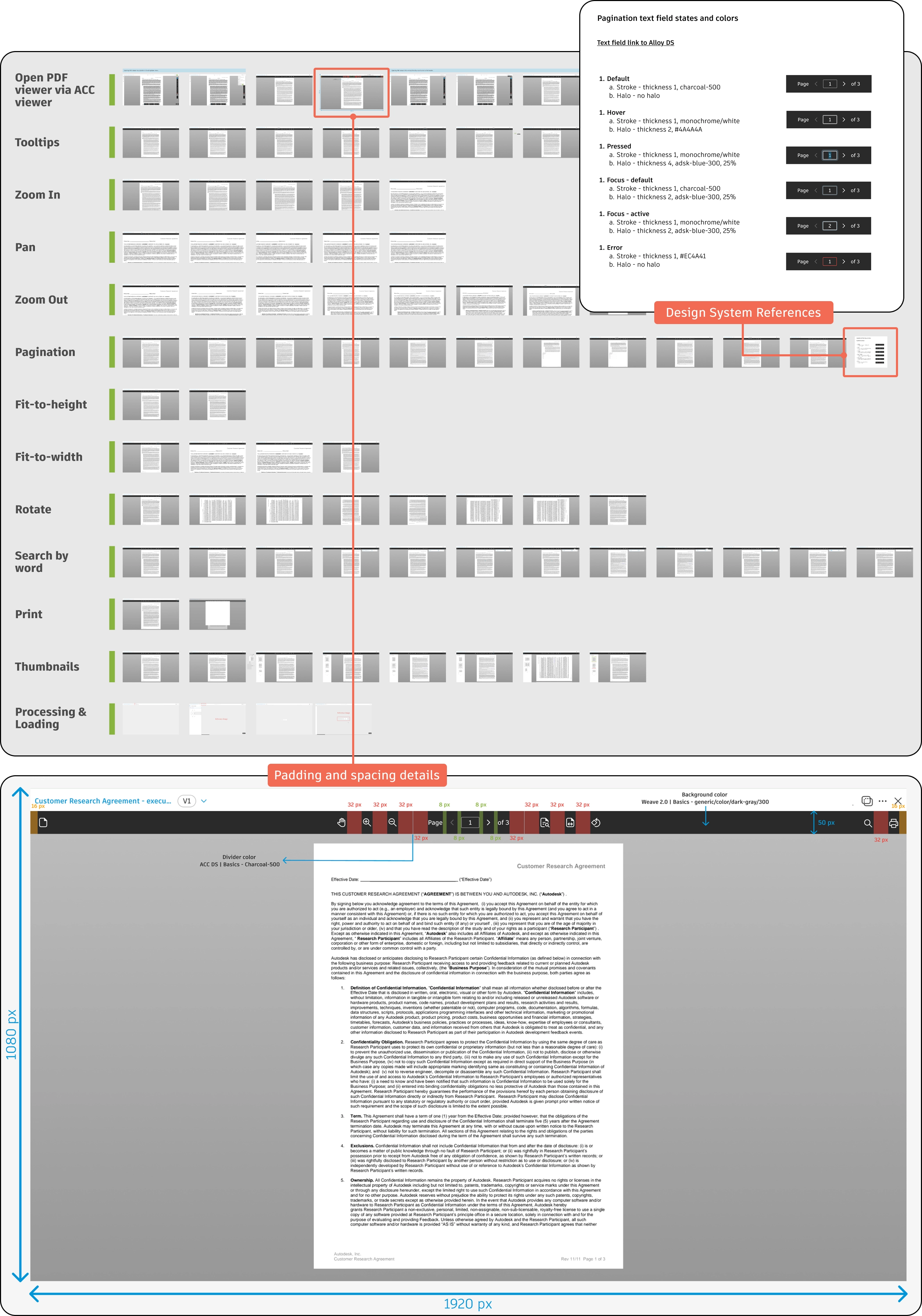
PDF Viewer functionality includes all the basic navigational features such as pan, zoom-in and zoom-out, pagination, rotate, fit-to-height, fit-to-width, search, print, thumbnails, and outlines, designed to provide a seamless PDF viewing experience.
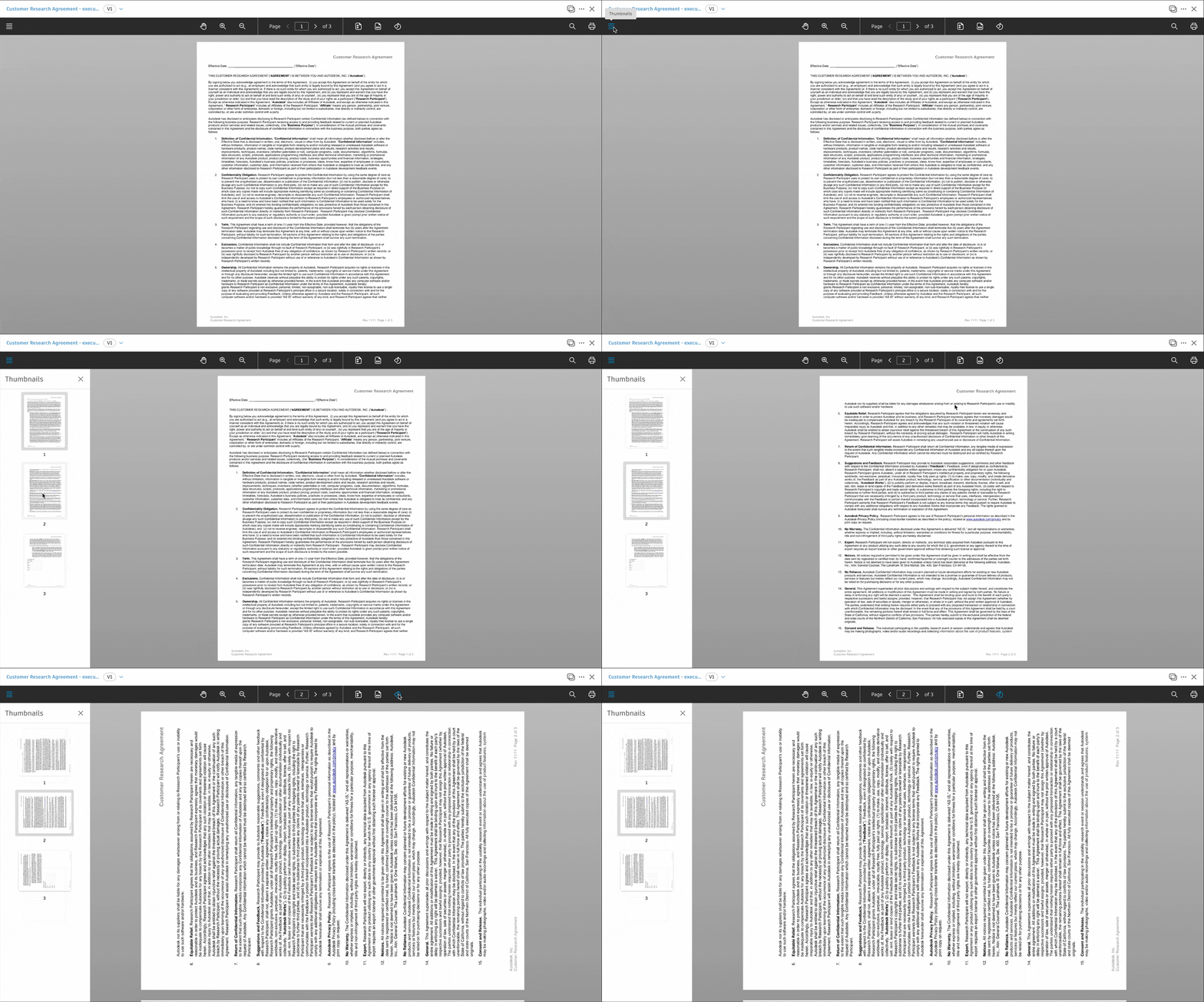
The search feature enables users to enter a term and look through the resulting matches.
Thumbnails give users a small preview of the document and serve as a navigation guide. They also retain page rotation for an optimal viewing experience.
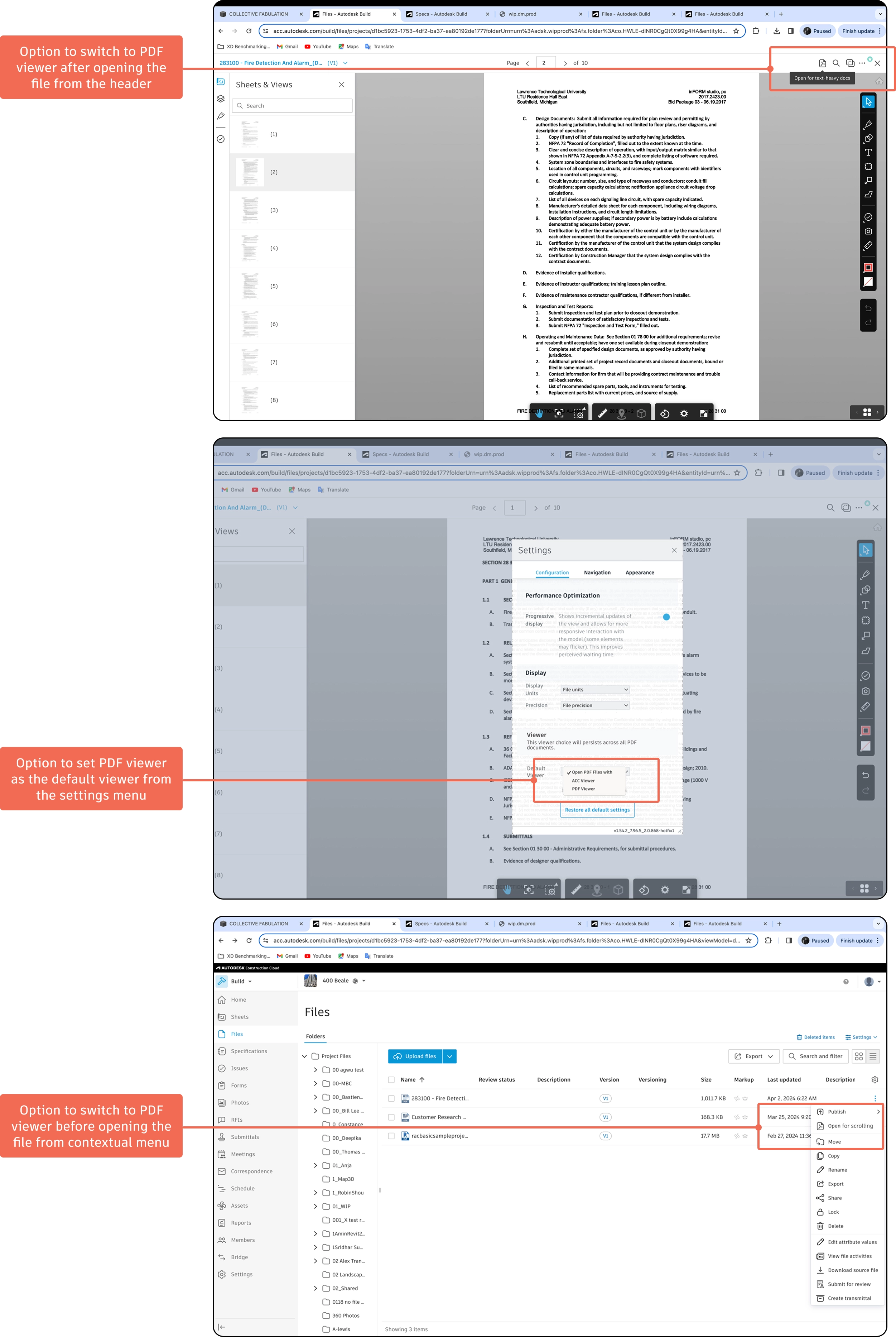
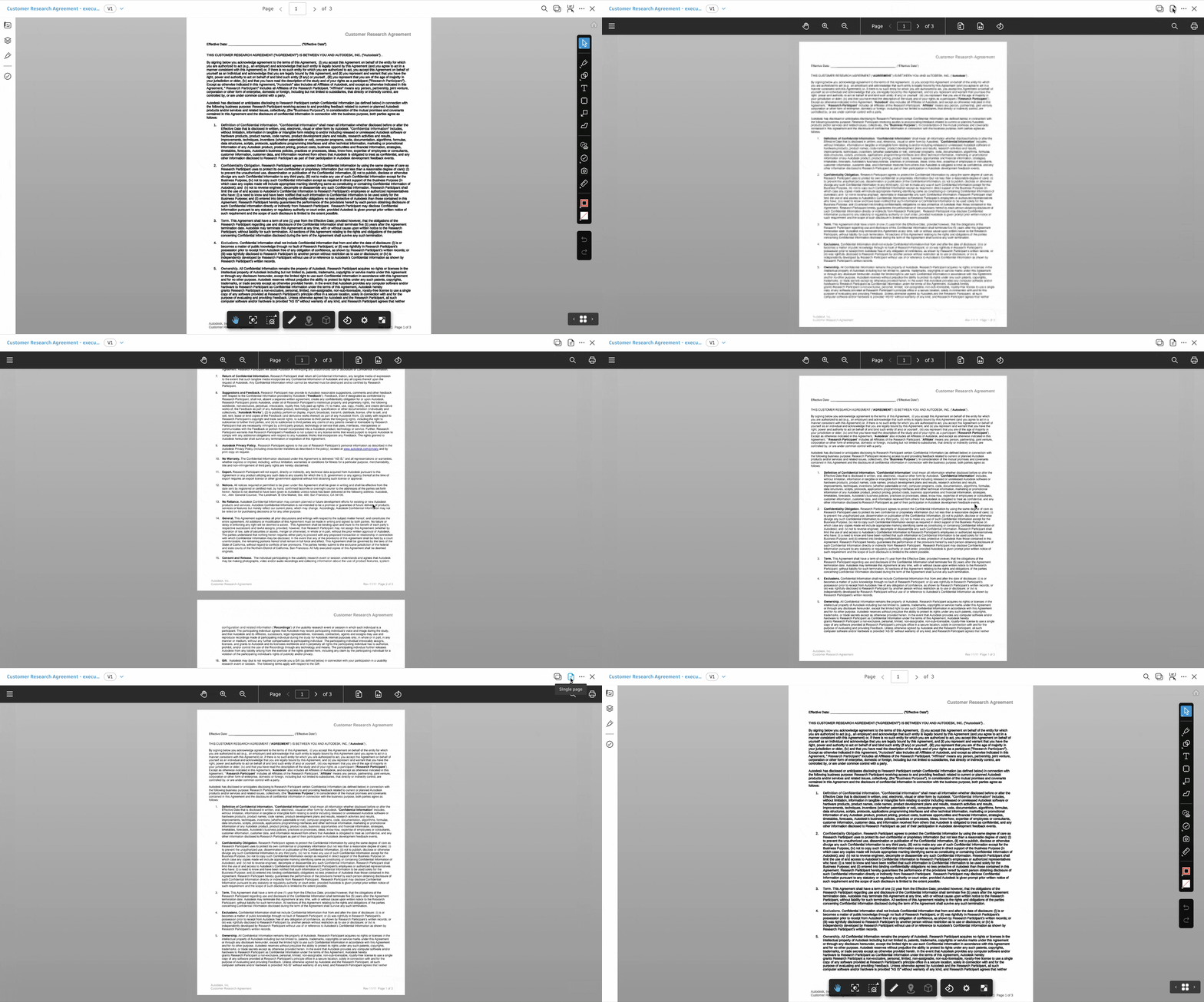
The file-level switch lets users quickly toggle between the single-page viewer and the new multi-page PDF viewer while retaining their current page.
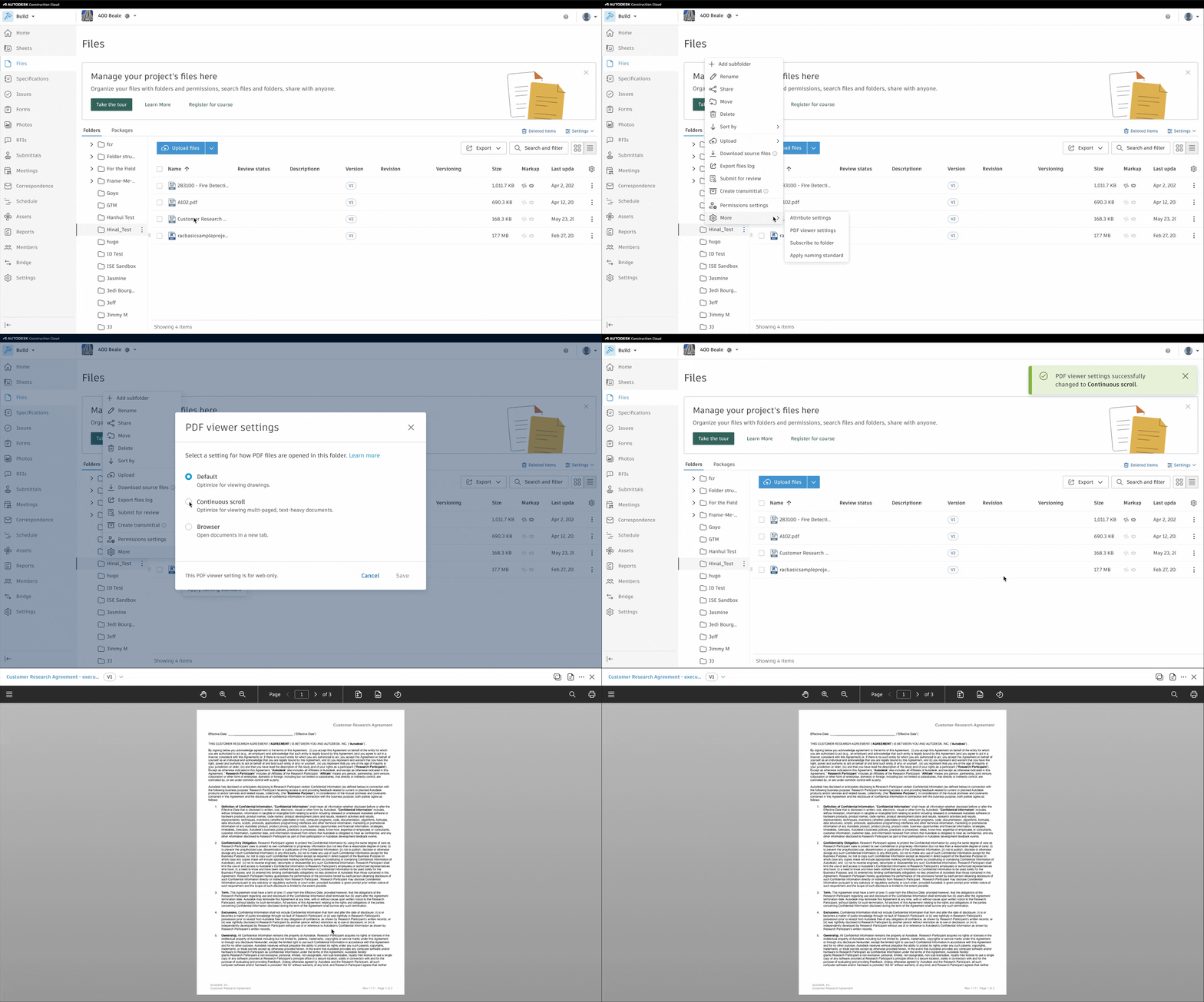
Folder-level settings enable admins to set a default viewer for all PDFs within a folder, streamlining workflows and eliminating repetitive configuration.
I documented each wireframe with user actions, key annotations, and links to design system components for engineering handoff. I also oversaw implementation and collaborated with QA to test edge cases and resolve experience discrepancies.